
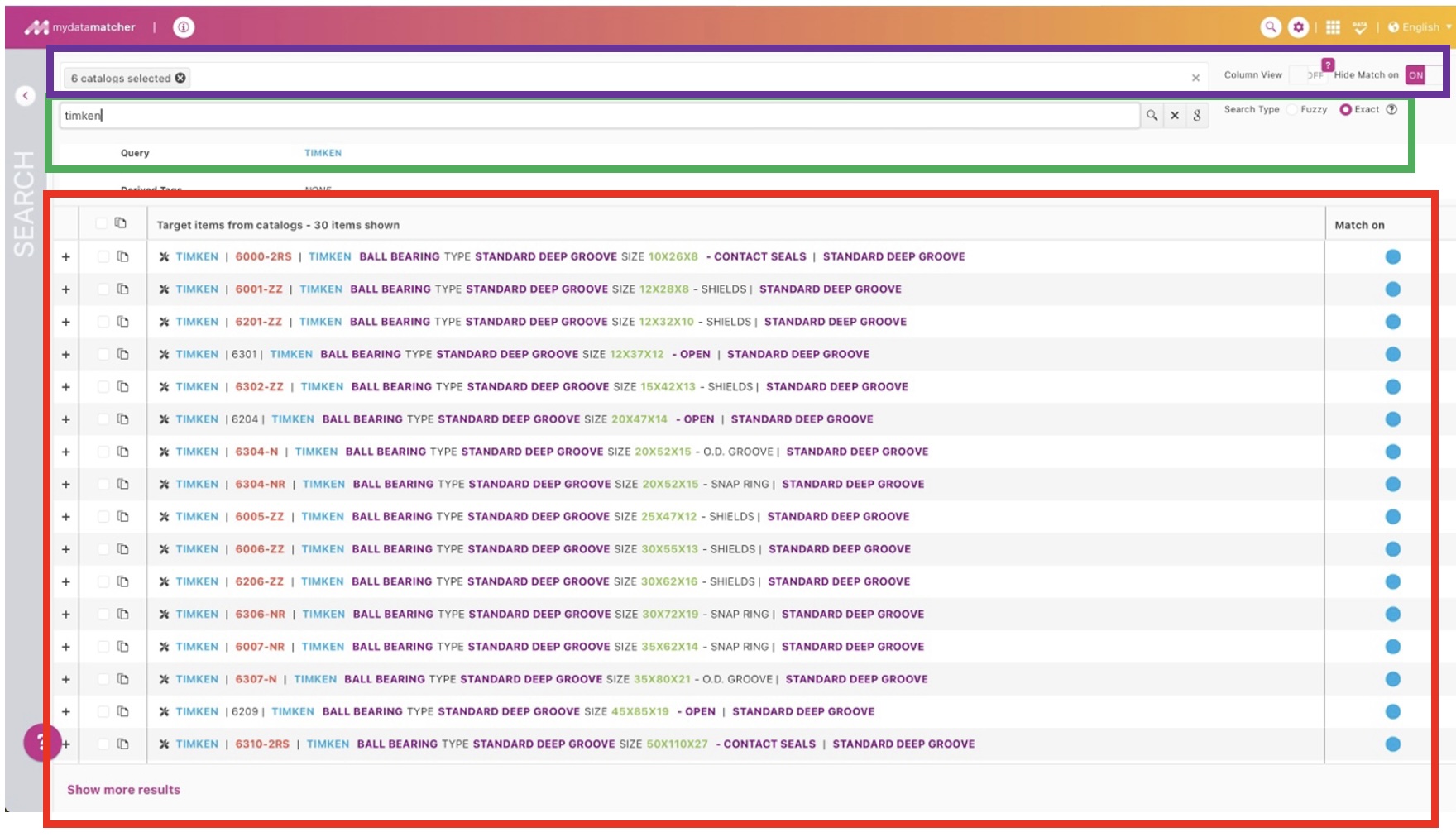
The Mydatasearch can be opened by clicking on the magnifying glass icon on the right upper corner of the window.
In the purple frame you will find the catalogs which are selected for the project. The catalog can be removed from the selection by clicking on the x symbol behind each catalog name. They can be added again by clicking in the empty space behind the last catalog in display. By removing a catalog; products from this catalog in the alternative list will not be visible anymore. Nor will candidate from this catalog be presented, when using manual search.
On the right of the purple frame you can select:
-
Column view, for show the result in a grid view (only available when one catalog is selected).
-
Hide match on, to remove or show the colored dots in the result list.
In the green frame you will find the manual look up. You can populate the search by simply keying in the terms. The search is searching in the whole catalog or catalogs, if multiple catalogs are selected.
In the red frame we have the following information:
-
The first column that show the + symbol: you can expand and collapse to the detail information.
-
In the second column you can select line items and copy them to paste them in for example an e-mail.
-
In the third column you are show the candidates from you search with the best option on top.
-
In the third column you find the coloured dots with overlap indication. The closest match is on top of the list.
Advanced search options: you can use wildcards as enhanced search options: a ? replaces one character and a * replaces multiple characters. You can also exclude a term from the search by placing a – directly in front of the term. If this is for example a manufacturer name, no candidates from the manufacturer will be presented.
Clicking on the Google icon will directly bring you to Google Search, where the search query is directly executed in Google.
Selecting fuzzy search will have the same result as putting an * for and after each term in the search query.
The ? icon at the end will explain the advanced search options