
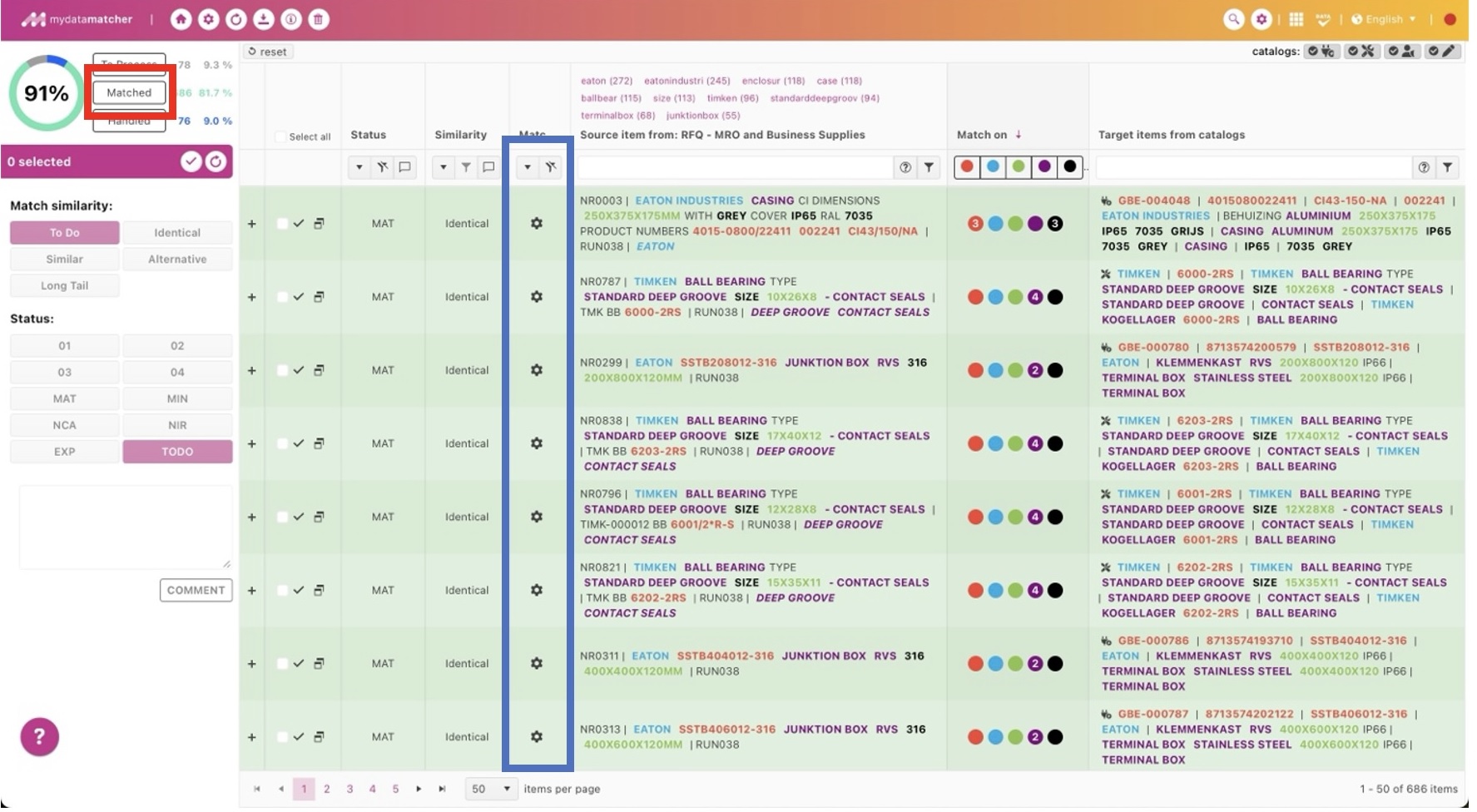
By clicking on the matched folder (in the red frame) you will get an overview of the matched line items.
In the blue frame:
In the match column you will find the type of matches which have been executed. There are three type:
-
Auto-matches: matches that the matcher automatically made, based on rules created in the back end
-
Manual matches: matches made by the user
-
Previous matches: matches automatically made by the matcher, in case a customer delivers a file with times that contains exactly the same content as this customer have delivered before.
=> Explanation of all other features in this window can be found in previous chapter: ‘ General & to process’.